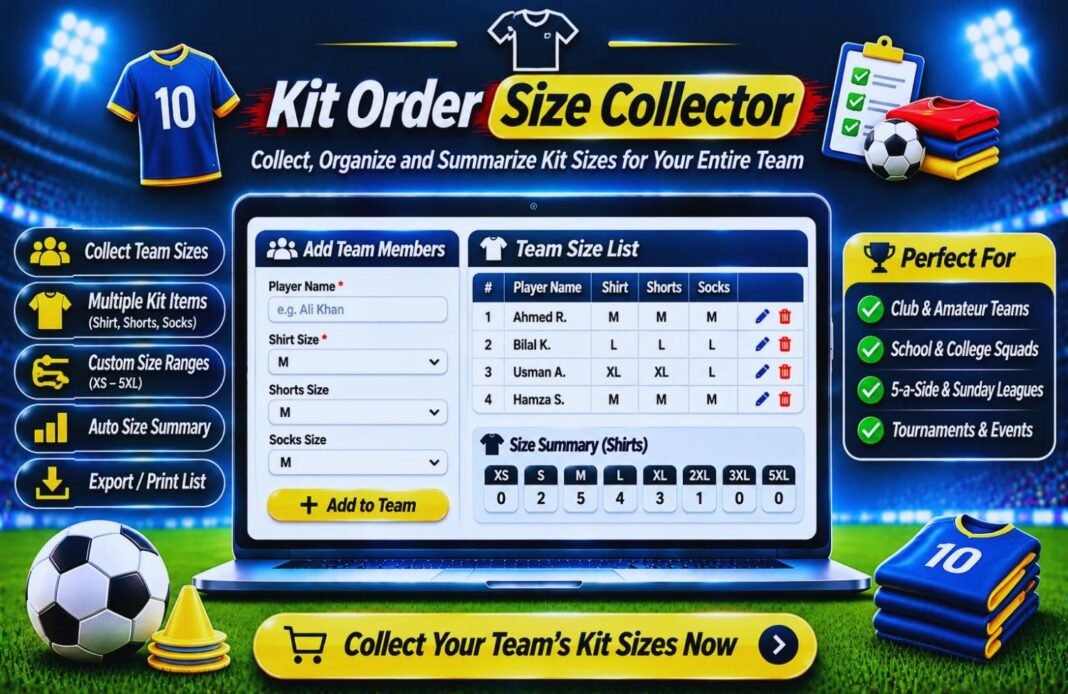
Collect and organise football kit sizes for your entire team with our free Kit Order Size Collector. Record player names, shirt sizes, shorts sizes, and jersey numbers to make team kit ordering simple and hassle-free.
Kit Order Size Collector
Collect every player’s kit sizes in one list, without chasing parents through a dozen group chats. Send one link, let parents fill in their child’s jersey, shorts and socks sizes, and get a ready-to-send order with totals for every size, names and numbers for printing, and payment tracking.
Updated November 2026 · Up to 60 players · CSV and PDF order form · No sign-up
Your Team
Not sure of the size? Measure a shirt that fits well now and compare it with the kit supplier’s size chart. If your child is between sizes, most parents go one size up.
Nothing is saved on our server. Your answers go only into the message you send to your coach.
- Kit Setup
- Players & Sizes
- Order Summary
Set Up Your Kit Order
Tell us what you’re ordering. Parents will see the same choices.
Size Range
Kit Items (tap to add or remove)
Print Names On Back?
Collect Shirt Numbers?
Prices (optional, to track who has paid)
Add Players And Sizes
Fill in sizes yourself, or send parents the form link and import their replies.
📲 1. Send Parents The Form
Each parent fills in their child’s sizes and sends you a WhatsApp message.
📥 2. Paste Their Replies
📋 Paste a list of names
Kit Order
📦 Totals By Size
🔤 Names And Numbers To Print
Your list is saved only in this browser. Download the CSV or PDF to keep a copy or move it to another device.
How To Collect Kit Sizes For Your Team
From group-chat chaos to a clean order in four steps.
Set Up The Kit
Choose the size range and items, like jersey, shorts and socks, and add prices if parents are paying.
Send One Link
Parents open the form, pick their child’s sizes and send them to you on WhatsApp.
Paste The Replies
Paste all the messages at once. Every player is added to your list automatically.
Send The Order
Check the totals, fix any warnings, and send the PDF or spreadsheet to your kit supplier.
What Is A Kit Order Size Collector?
A kit order size collector is a free tool that gathers every player’s jersey, shorts and socks sizes, shirt numbers and names into one list. It then counts how many of each size you need, so you can send one clean order to your kit supplier.
Ordering kit is one of the most stressful jobs a coach or team manager has. Sizes arrive in different chats, two players ask for the same number, someone forgets the socks, and the supplier wants everything in one spreadsheet by Friday. This tool keeps it all in one place.
Parents fill in a simple form from your link. Their answers come back to you as a WhatsApp message with a short code at the end. Paste the messages into the tool and each player appears in your list. Nothing is stored on our server, so you don’t need an account and parents don’t need to sign up.
Youth And Adult Football Kit Sizes
Kit suppliers label sizes in different ways, so the tool offers four size ranges. Pick the one your supplier uses.
| Size Range | Sizes In The Tool | Best For |
|---|---|---|
| Youth | YXS, YS, YM, YL, YXL | US youth soccer kits |
| Youth By Age | 3-4, 5-6, 7-8, 9-10, 11-12, 13-14 | Kits sized by age, common in the UK |
| Adult | XS, S, M, L, XL, XXL, 3XL | Adult, high school and coaches’ kits |
| Youth + Adult | YXS to YXL and XS to 3XL | Older youth squads with mixed sizes |
Exact measurements change from brand to brand, so always share your supplier’s own size chart with parents. Socks are often sized by shoe size, which also varies by brand.
Tips For A Smooth Team Kit Order
- Set a deadline at least a week before you need to order, and put it in the parent form.
- Share the supplier’s size chart with the link so parents can check before they choose.
- Tell parents of growing kids that going one size up usually lasts a full season.
- Ask for a few spare kits in common sizes for new players who join mid-season.
- Collect goalkeeper sizes separately. Keepers often need a different color jersey.
- Keep names on the back short. Long names need smaller letters and can cost more to print.
- Collect money before you place the order, and use the Paid boxes to track it.
Checklist Before You Send A Kit Order
- Every player has every size. The summary lists anyone with a missing size.
- No shirt number is used twice. Clashes are flagged in red.
- Names on the back are spelled correctly. Check the print list with parents.
- Goalkeepers are marked. Their jerseys are counted on a separate line.
- Totals match your budget. The order value shows how much you’ll pay.
Kit Order Size Collector FAQ
What Is A Kit Order Size Collector?
It’s a free tool for coaches and team managers that collects every player’s kit sizes, shirt numbers and names into one list, then counts how many of each size to order.
How Do Parents Send Their Child’s Sizes?
Press Get Parent Form Link and share it with your team. Parents open the link, pick their child’s sizes and press Send To Coach On WhatsApp. You paste their messages into the tool and each player is added automatically.
Do Parents Need An Account?
No. Parents just open the link and fill in the form. Nobody needs to sign up, and nothing is stored on GlobeHour’s server.
Where Is My Team’s List Saved?
Your list is saved in your own browser on this device. To keep a backup or use another device, download the CSV spreadsheet or the PDF order form.
What Size Ranges Can I Use?
You can choose Youth sizes (YXS to YXL), Youth By Age (3-4 to 13-14), Adult sizes (XS to 3XL), or Youth + Adult for mixed squads.
Which Kit Items Can I Collect Sizes For?
Jersey, shorts, socks, training top, jacket and hoodie. Turn on only the items you’re ordering.
Does It Check For Duplicate Shirt Numbers?
Yes. If two players have the same number, both are highlighted in red, and the order summary lists every clash so you can fix it before ordering.
Can I Track Who Has Paid?
Yes. Add a price for each item in the setup. The tool works out each player’s cost, adds a Paid box to every row, and shows the order value, money collected and amount still to collect.
How Do I Send The Order To My Supplier?
In the order summary, download the PDF order form or the CSV spreadsheet, or press Copy Order For Supplier to paste the totals and print list into an email.
How Many Players Can I Add?
You can add up to 60 players, which covers a full squad or a small club’s age group.
Is The Kit Order Tool Free?
Yes. It’s completely free with no sign-up, and you can use it for as many teams and seasons as you like.
Related GlobeHour Football Tools
More free tools for coaches and team managers.
Stop Chasing Kit Sizes
Send one link, collect every size and get a ready-to-send order in minutes.
Start My Kit Order