
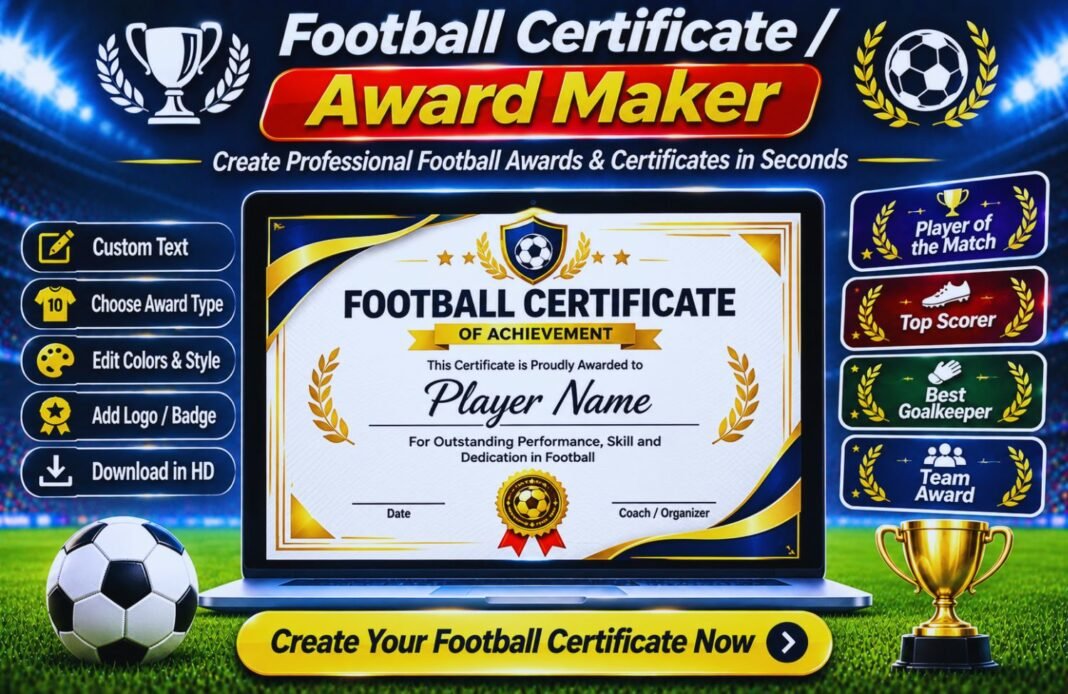
Create fun and memorable football certificates for children at the end of the season with our free Football Certificate / Award Maker. Make custom awards for best player, top scorer, most improved, participation, and more.
Football Certificate & Award Maker
Make end-of-season football and soccer award certificates for kids in minutes. Pick an award, type the player’s name, add your team and coach, then print one certificate or the whole team’s in a single PDF. Free, with no sign-up and no watermark.
Updated November 2026 · 12 awards · 5 designs · Whole-team PDF
- Award Details
- Design
- Print & Download
Enter The Award Details
The preview updates as you type.
Date Style
Choose A Design
Pick a style, paper size, colours and font.
Design
Paper Size
Colours
Font
Your Certificate Is Ready
👨👩👧👦 Make Certificates For The Whole Team
Type one player per line. To give someone a different award, add a dash and the award name, like Liam Smith – Golden Boot. Players without an award get the one above. Every certificate uses the same design, team, coach and date.
Certificates are made in your browser. Names, logos and team lists are never sent to our server.
How To Make A Football Award Certificate
From blank page to printed certificate in four easy steps.
Pick An Award
Choose from 12 ready-made awards or write your own. Each one comes with a short message you can edit.
Add The Details
Type the player’s name, team, season, date and the coach who’ll sign it. Add your club logo if you have one.
Choose A Design
Pick one of five designs, your paper size and team colours. The preview shows every change.
Print For Everyone
Download one certificate, or paste your team list and get every player’s certificate in one PDF.
What Is A Football Certificate Maker?
A football certificate maker is a free online tool that creates printable award certificates for players. You choose the award, add the player’s name, team and coach, and download a ready-to-print PDF or image.
The end of a season is a big moment for young players. A certificate they can take home, stick on the fridge or keep in a scrapbook means a lot, especially for kids who don’t score goals every week. But designing 15 or 20 certificates by hand takes hours that most volunteer coaches don’t have.
This football and soccer certificate maker does the hard part for you. It works for any youth team, from U6 to U16, school teams, summer camps and recreational leagues. The best part is the whole-team option. Paste your roster once and you’ll get every player’s certificate in one PDF, ready to print.
12 End-Of-Season Football Award Ideas For Kids
All of these are built into the certificate maker, with wording ready to go.
| Award | Who It’s For |
|---|---|
| Player of the Season | The player who stood out most across the whole season. |
| Most Improved Player | The child who made the biggest progress from first game to last. |
| Golden Boot | The team’s top goal scorer. |
| Golden Glove | The goalkeeper who made the best saves. |
| Coach’s Award | A player chosen by the coach for attitude and effort. |
| Players’ Player | The player voted for by teammates. |
| Defender of the Season | The player who stopped the most attacks. |
| Hardest Worker | The child who never stopped running and trying. |
| Fair Play Award | The player who showed the most respect and kindness. |
| Team Spirit Award | The player who lifted everyone’s mood. |
| Best Attendance | The player who came to the most training sessions and games. |
| Season Certificate | Every player on the team, so nobody goes home empty-handed. |
Want something different? Choose Custom Award and write your own, like “Best Celebration”, “Super Sub” or “Most Positive Player”. Fun awards are great for younger age groups, where every child should feel special.
Football Certificate Wording Examples
Short, warm and specific works best. Here are some lines you can copy.
- “For outstanding skill, effort and teamwork all season long.”
- “For working hard and getting better every single week.”
- “For brilliant saves and real bravery in goal.”
- “For always listening, learning and giving 100%.”
- “For being a kind teammate and a great friend.”
- “For never giving up, even when the game was tough.”
- “For the best smile and the biggest cheers on the sideline.”
- “For a fantastic first season. We’re so proud of you!”
Try to mention something the player actually did. “For scoring your first goal against Lakeside” means far more to a child than a general line. You can edit the message on each certificate before you print.
How To Make Certificates For The Whole Team At Once
After you’ve set up one certificate, scroll down on the download step to the whole-team box. Type or paste your team list there, one player per line.
- Same award for everyone: just list the names. Each player gets the award you chose above.
- Special awards: add a dash and the award name, like “Liam Smith – Golden Boot”. If it matches one of the 12 built-in awards, the right message and icon are added for you.
- Your own award names: write anything after the dash, like “Mia Lopez – Super Sub”.
Press Download All As One PDF and you’ll get one page per player, in the same order as your list. Up to 60 players fit in one file, which is enough for a whole club age group.
Tips For A Great End-Of-Season Awards Night
- Give every child a certificate, not just the top players.
- Keep speeches short. Say one specific thing about each player.
- Call names in a random order, not best to worst.
- Ask parents to take photos as each player gets their award.
- Invite players to say one thing they loved about the season.
- Add a team photo or a small medal if your budget allows.
- Thank parents, helpers and referees too. They made the season happen.
- Finish with a team cheer. Kids remember the fun more than the trophies.
How To Print Football Certificates
Choose US Letter if you’re in the United States or Canada, and A4 almost everywhere else. Download the PDF and print at 100% or “actual size” so the border isn’t cut off.
For a premium feel, print on thick card stock. Around 65–110 lb cover in the US, or 200–300 gsm card in the UK and Europe, works in most home printers. Cream or ivory card makes the Classic Gold design look even more official.
Saving Ink
If you’re printing a lot at home, pick a light design like Classic Gold, Team Colours or Kids Fun. The Champion Night and Football Pitch designs use more ink because of their dark or green backgrounds, so they’re better for a local print shop.
Sharing Digitally
Not printing? Choose the Square size and download a PNG to send to parents by email, WhatsApp or your team app. It’s also a great way to celebrate players on your club’s social media, with parents’ permission.
Football Certificate Maker FAQ
What Is A Football Certificate Maker?
It’s a free online tool that creates printable award certificates for football and soccer players. You choose the award, add the player’s name, team and coach, and download a PDF or image.
Is The Certificate Maker Free?
Yes. It’s completely free, with no sign-up and no watermark. You can make as many certificates as you need.
Can I Make Certificates For My Whole Team At Once?
Yes. On the download step, paste your team list with one player per line and press Download All As One PDF. You can give individual players their own award by adding a dash and the award name, like Liam Smith – Golden Boot.
What Awards Can I Choose?
There are 12 built-in awards: Player of the Season, Most Improved Player, Golden Boot, Golden Glove, Coach’s Award, Players’ Player, Defender of the Season, Hardest Worker, Fair Play Award, Team Spirit Award, Best Attendance and Season Certificate. You can also write a custom award.
Which Paper Sizes Are Available?
US Letter and A4, in landscape or portrait, plus a square size for sharing on social media. Choose US Letter in the United States and Canada and A4 in most other countries.
Can I Add My Club Logo?
Yes. Upload a PNG, JPG or WebP logo and it appears at the top of the certificate. Without a logo, the certificate shows an icon that matches the award.
What Paper Should I Print Certificates On?
Thick card stock looks best. Around 65 to 110 lb cover in the US, or 200 to 300 gsm card elsewhere, works in most home printers. Print at 100% or actual size.
Are The Players’ Names Stored Anywhere?
No. Everything is made in your browser. Names, logos and team lists are never sent to our server.
What Should I Write On A Football Certificate?
Keep it short and specific. A line like ‘For working hard and getting better every single week’ works well, and mentioning something the player actually did makes it even more special.
Should Every Child Get A Certificate?
For youth teams, yes. Giving every player a certificate, such as a Season Certificate, makes sure nobody goes home empty-handed, while special awards still recognise standout moments.
Related GlobeHour Football Tools
More free tools for coaches, clubs and young players.
Celebrate Every Player This Season
Make free football award certificates for your whole team and print them tonight.
Make A Certificate

