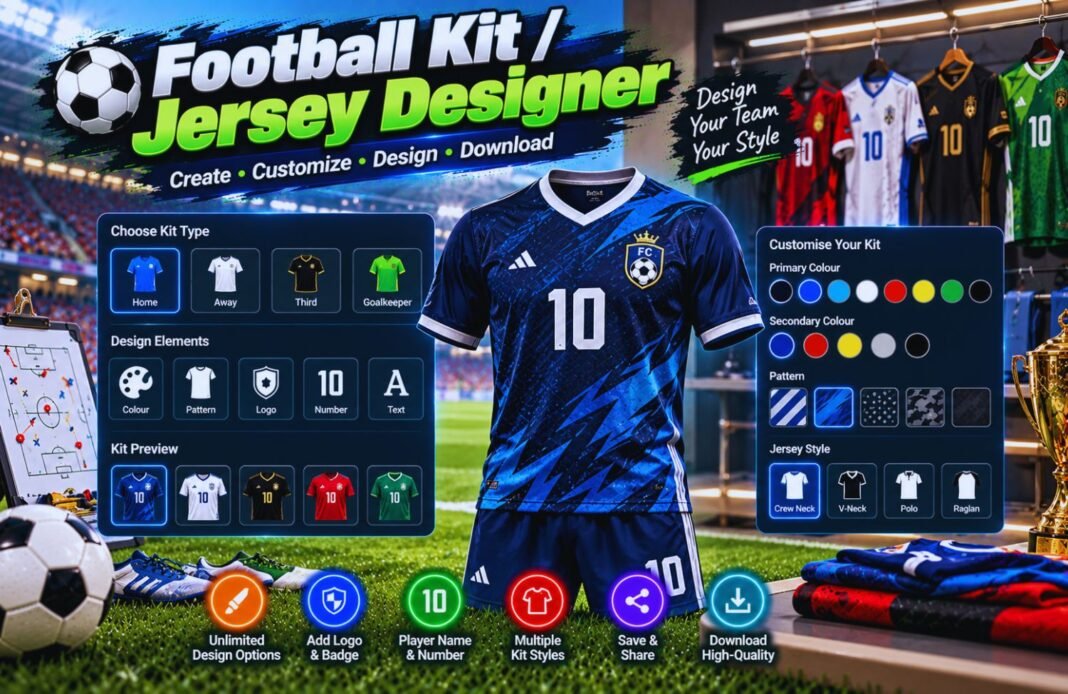
Our Football Kit / Jersey Designer helps you create custom football jerseys with unique colors, patterns, and team details. Design your perfect football kit quickly and easily with this free online tool.
Football Kit & Jersey Designer
Design your own soccer kit online with a pro-style editor. Choose from 18 patterns and 5 collars, drag and drop your own logo, move the crest, sponsor, name and number anywhere on the shirt, then download your jersey, shorts and socks as an image or PDF.
The kit designer is still loading. If this message stays, please refresh the page.
Quick Start Kits
Shirt Pattern
Collar
Sleeves
Sleeve Detail
Kit Colors
Quick swatches apply to: Main Color
Number Font
Crest Style
Upload Your Own Logo
Only upload logos you own or have permission to use. Your image stays in your browser.
Shirt Extras
Shorts & Socks
Change the preview background with the Studio, Dark and Stadium buttons above the kit.
For fun and team planning. Please don’t copy real club badges or brand logos onto your design.
Classic Football Shirt Patterns
All 18 patterns in the designer, shown in navy and white.
How The Kit Designer Works
Four quick steps to your own kit.
Pick A Pattern
18 patterns and 5 collars.
Choose Colors
Shirt, trim, shorts and socks.
Drag And Drop
Move text and drop in your logo.
Download It
Save as an image or a PDF.
What Is A Football Kit Designer?
A football kit designer lets you create a soccer uniform on screen before you order it. Sunday league teams, youth clubs, school sides and fans use it to try out colors and patterns, agree on a look and share the design with a kit supplier.
The GlobeHour Football Kit & Jersey Designer works like a mini design studio. It shows the front and back of your shirt, plus shorts and socks, with realistic fabric shading. You can drag the crest, sponsor, name and numbers to any spot, drop in your own logo, pick number fonts and sleeve details, and undo any change. It also checks whether your shirt number is easy to read from a distance. When you’re done, download a sharp PNG image or a PDF design sheet with every color code listed.
How Number Readability Is Checked
Example: the Austin Arrows have a white number on navy and white stripes.
| Step | Formula | Example |
|---|---|---|
| Brightness Of Each Color | Relative luminance L from the red, green and blue values | White L = 1.00, navy L ≈ 0.02 |
| Contrast Ratio | (Lighter L + 0.05) ÷ (darker L + 0.05) | White on navy ≈ 15:1 |
| Worst Case | Lowest ratio against every color behind the number | White on white stripe = 1:1 |
| Outline Check | If the outline contrasts 3:1+ with both the number and the stripe, the number counts as readable | Red outline: 4.8:1 on white, so it rates Good (3:1) |
| Rating | 4.5+ Excellent, 3+ Good, 2+ Weak, under 2 Hard To Read | Good |
The ratios follow the same contrast formula used in web accessibility guidelines. On striped or hooped shirts, a colored outline (trim) around the number helps a lot.
Popular Kit Color Combinations
| Combination | Look | Number Color That Works |
|---|---|---|
| Navy And White | Smart and classic | White with a red or navy outline |
| Red And White | Bold and easy to spot | White on red, red on white |
| Black And Gold | Strong and premium | Gold on black |
| Sky Blue And Navy | Fresh and light | Navy on sky blue |
| Green And White | Traditional | White on green, black on white |
| Purple And Pink | Modern and eye-catching | White |
Tips For Designing A Great Kit
- Stick to two main colors and one trim color.
- Check the number readability before you order.
- Design a second, lighter or darker away kit to avoid clashes.
- Goalkeepers need a different color from both teams.
- Keep the sponsor short so it fits on small sizes.
- Dark socks hide grass and mud stains better.
- Share the PDF with your kit supplier so colors match.
- Don’t use real club badges or brand logos without permission.
Football Kit Designer FAQ
How Do I Design My Own Football Kit?
Pick a quick start kit or a pattern, choose your colors, then add your team name, crest or logo, sponsor, back name and number. Drag anything on the preview to move it. When you’re happy, download it as an image or PDF.
Is The Kit Designer Free?
Yes. It is completely free, needs no sign-up and works on phones, tablets and computers.
Which Patterns Can I Use?
Plain, stripes, pinstripes, hoops, halves, quarters, sash, diagonal stripes, chevron, chest band, checks, waves, geometric, halftone dots, fade, contrast sleeves, side panels and shoulder yoke. You can also change the pattern size.
Can I Add A Name And Number?
Yes. The back name and number show on the back of the shirt, and the number also appears on the front and on the shorts.
What Does Number Readability Mean?
It’s the contrast between your number color and the shirt colors behind it. A score of 3:1 or more is good. Under 2:1, the number is hard to read from a distance.
Can I Get The Color Codes?
Yes. Tap Copy Colors or download the PDF to get the HEX code of every color in your kit.
Can I Upload My Own Logo?
Yes. Drag and drop your logo onto the upload box or straight onto the kit preview, then drag it to the right spot and resize it. Only use logos you own or have permission to use.
Can I Order The Kit From Here?
No. GlobeHour doesn’t sell kits. Send the image or PDF to your local kit supplier as a design guide.
Is My Design Saved?
Your design is saved only in your own browser. Nothing is sent to GlobeHour.
Related GlobeHour Tools
Ready To Design Your Team’s Kit?
Pick your colors, add your number and download your kit in minutes.
Open The Kit Designer