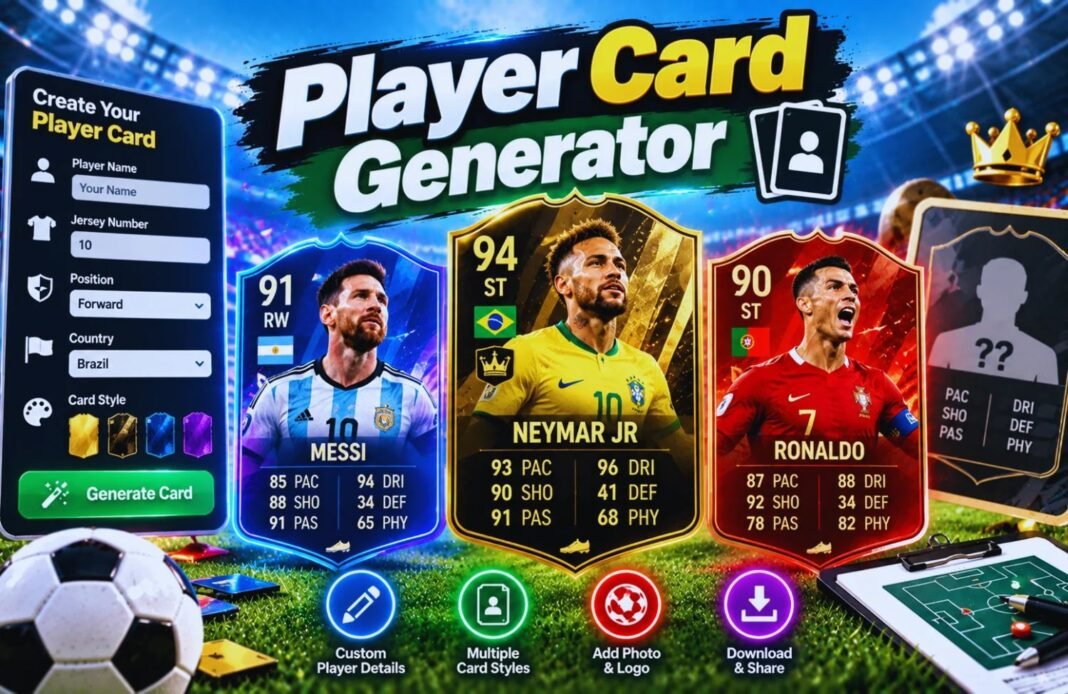
The Player Card Generator lets you create personalized football player cards with your name, photo, position, team, and player ratings. Whether you want to design a professional-style football card for yourself, your friends, or your teammates, this tool makes the process quick and fun. Customize your stats, show off your football skills, and create a unique player card to share on social media or with fellow football fans.
Player Card Generator
Make your own football player card in seconds. Add your name, position, country, club and photo, set your six stats, pick a colour, and download your card as a PNG image or a PDF.
The card maker is still loading. If this message stays, please refresh the page.
- Player
- Stats
- Your Card
Add Your Player Details
Only the name is needed. Everything else is optional.
Set Your Six Stats
Drag the sliders or type a number from 1 to 99. Use a quick style to start.
Your Player Card
Pick a colour, then download your card.
Card Summary
Your photo stays on your device. The card is made in your browser and nothing is uploaded to GlobeHour.
Which Stats Matter Most For Each Position?
The overall number on your card weights each stat by how important it is for your position.
How The Player Card Generator Works
Four quick steps to your own card.
Add Your Details
Name, position, country, club and photo.
Set Your Stats
Six stats from 1 to 99.
Pick A Colour
Six card colours to choose from.
Download
As a PNG image or a PDF.
Make A Football Card Of Your Own
Player cards are a fun way to show off your game. Coaches use them to celebrate a player of the month, teams share them on social media before a match, and friends use them to settle who’s really the fastest in the group.
The GlobeHour Player Card Generator lets you design an original card with your own photo, name, position, country, club and shirt number. You set six stats, and the card works out an overall rating using weights that suit your position. Then pick a colour and download it as a high-quality PNG to share, or as a PDF to print.
What Each Stat Means
| Outfield Stat | What It Measures | Goalkeeper Stat | What It Measures |
|---|---|---|---|
| PAC · Pace | Speed and acceleration | DIV · Diving | Reaching shots to the corners |
| SHO · Shooting | Finishing and shot power | HAN · Handling | Catching and holding the ball |
| PAS · Passing | Short passes, long balls and crosses | KIC · Kicking | Goal kicks and passing |
| DRI · Dribbling | Ball control and beating players | REF · Reflexes | Close-range saves |
| DEF · Defending | Tackling, marking and interceptions | SPD · Speed | Rushing off the line |
| PHY · Physical | Strength, stamina and heading | POS · Positioning | Being in the right place |
How The Overall Rating Is Calculated
Example: a striker with Pace 84, Shooting 93, Passing 70, Dribbling 82, Defending 30 and Physical 85.
| Stat | Value | Striker Weight | Points |
|---|---|---|---|
| Pace | 84 | 20% | 16.8 |
| Shooting | 93 | 35% | 32.55 |
| Passing | 70 | 10% | 7.0 |
| Dribbling | 82 | 15% | 12.3 |
| Defending | 30 | 0% | 0 |
| Physical | 85 | 20% | 17.0 |
| Overall | – | 100% | 85.65 → 86 |
Ratings of 90 and above are World Class, 80 to 89 Elite, 70 to 79 Very Good, 60 to 69 Good, 50 to 59 Decent and below 50 Developing.
Tips For A Great Player Card
- Use a clear, front-facing photo with good light.
- Photos taken in portrait (upright) fit the card best.
- A plain background makes your photo stand out.
- Be honest with your stats, or ask a teammate to rate you.
- Pick a colour that matches your team’s kit.
- Use the PNG for WhatsApp, Instagram and other apps.
- Print the PDF for a team board or a gift.
- Update your card each season as you improve.
Player Card Generator FAQ
How Do I Make My Own Football Card?
Enter your name and details, add a photo if you like, set your six stats, pick a colour and press Download PNG or Download PDF.
Is The Player Card Generator Free?
Yes. It is completely free, needs no sign-up and works on phones, tablets and computers.
Is My Photo Uploaded Anywhere?
No. Your photo is used only inside your browser to draw the card. It is never sent to GlobeHour.
How Is The Overall Rating Worked Out?
Each stat is multiplied by a weight for your position and the results are added up. Strikers rely most on shooting, while centre-backs rely most on defending.
Can I Make A Goalkeeper Card?
Yes. Choose GK as your position and the stats change to Diving, Handling, Kicking, Reflexes, Speed and Positioning.
What Size Is The Downloaded Card?
The PNG is 1280 × 1800 pixels, sharp enough for social media and printing. The PDF is A4 with your card and a stat summary.
Can I Make Cards For My Whole Team?
Yes. Make one card, download it, press Start Again and make the next one.
Is This An Official Game Card?
No. It’s an original GlobeHour design for fun and isn’t linked to any video game, league or club.
Are My Details Saved?
Your name, stats and colour are saved only in your own browser. Photos are not saved.
Related GlobeHour Tools
Ready To Make Your Player Card?
Add your details and photo, set your stats and download your own football card in seconds.
Open The Card Maker