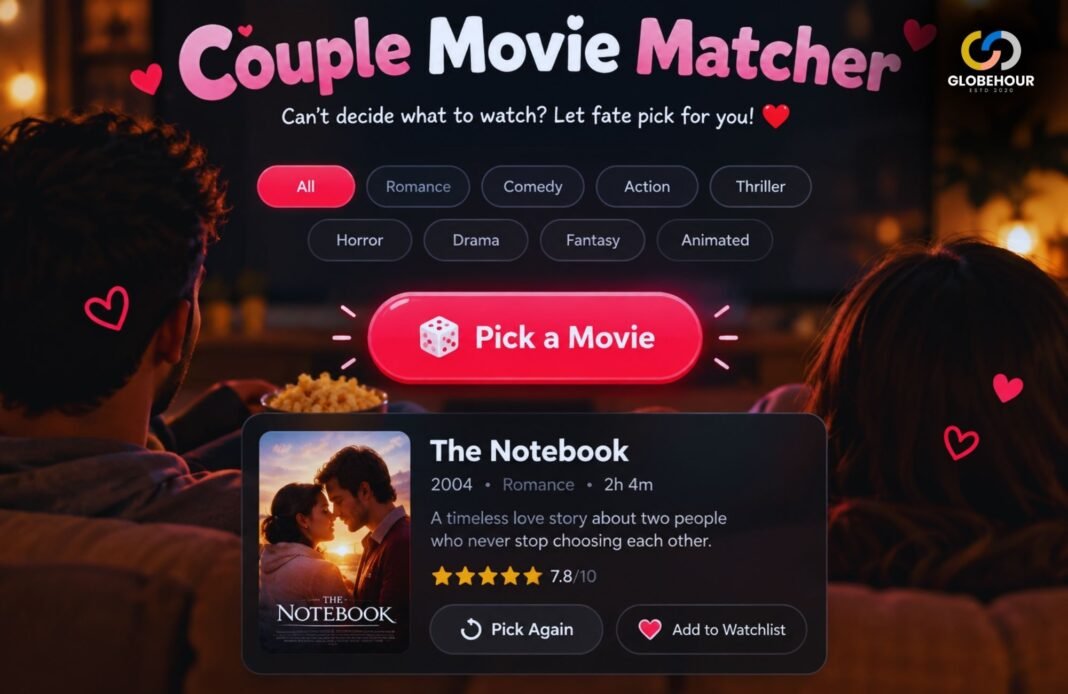
Choosing a movie can take longer than you’d like. Our Random Movie Picker gives you a title to try when nothing comes to mind. Watch the first suggestion or pick again until something catches your interest.
Random Movie Picker
Too many movies, no clear choice? Pick a genre, choose a mood and let one title settle the question. Explore our starter collection or paste your own watchlist for a movie night that finally gets past the scrolling.
Let Tonight’s Movie Find You
Choose from the collection or draw a title from your own list.
Your Movie Night Starts Here
A random choice from the eligible titles, without popularity weighting.
This Round’s Picks
A Random Movie Picker For The Moment You Cannot Decide
Give Your Watchlist A Starting Point
You sit down to watch something, open a few menus and somehow spend the first part of the evening comparing thumbnails. A random movie picker gives that search a clear ending: one title to consider, chosen from a list you control.
The GlobeHour Random Movie Picker works in two ways. Explore Movies draws from a small starter collection with genre and mood filters. My Watchlist draws from the titles you paste into the box. Both modes make the decision visible, so you can see the result and the titles already drawn during the current round.
You do not have to treat the answer as an instruction. Think of it as a useful first choice. Check whether the film fits your time, audience and available services. If it does, start watching. If it does not, use Pick Again and move to another candidate without opening a fresh browsing session.
For a broader evening decision, try What Should I Watch Tonight?. If you decide a series suits the occasion better, the TV Show Binge Calculator helps turn daily viewing time into a completion plan.
How To Use The Random Movie Picker
Choose Your Source
Explore the collection or paste your own movie titles.
Set Your Preferences
Use a genre and mood, or leave both open.
Draw One Movie
Press the red button to reveal a random title.
Make Your Plan
Check the details, save your pick and start watching.
Start Broad If You Want A Surprise
Leaving both filters on Any gives the entire starter collection a chance. This is useful when you have no particular genre in mind. The displayed eligible count tells you how many titles the tool can choose from before you begin.
Narrow The List If You Already Know The Mood
Choose one preference first. A genre tells the picker which shelf to use; a mood suggests the kind of evening you want. The picker first looks for movies matching both preferences. If this small collection has no exact combination, it keeps your genre and relaxes the mood preference. A short note explains the fallback, and the result shows the film’s actual editorial mood tags. Every built-in combination can produce a movie.
Use Your Own List For A More Personal Result
Paste one movie per line, including a year when you need to distinguish remakes. The picker does not look up the text or attach film details to it. It simply treats each unique line as a candidate. This makes it useful for a saved watchlist, a small film club or a shortlist shared by friends.
Choose A Genre Without Overthinking It
The starter collection uses one main genre label per film. That keeps filtering simple, but films often cross several categories. A romantic comedy may appear under Romance, while a funny adventure may sit under Adventure. These labels organise the tool; they are not an exhaustive description of everything in a film.
Comedy And Animation
Start here for playful storytelling, comic situations or an animated world. Check the individual title before planning a family viewing.
Adventure And Sci-Fi
Try a journey, a speculative idea or an unfamiliar setting. These categories can contain tension as well as spectacle.
Drama And Romance
Choose character-focused stories, relationships and emotional decisions when you want something to talk about afterwards.
Mystery And Horror
Use these categories when suspense is welcome. Read content advice if you want to avoid particular themes or imagery.
Any Genre
Let the whole collection compete. This is the widest starting pool and the easiest way to explore an unfamiliar category.
My Watchlist
Bring a collection in any language or genre. Custom entries use your wording and do not receive automatic genre tags.
A good way to avoid rejecting every result is to decide the broad category before drawing. If everyone agrees to a mystery, you have already settled the largest part of the decision. The random pick only needs to settle which mystery comes first.
What The Mood Filters Mean
Mood is subjective. Two people can respond very differently to the same film, and even a largely cheerful story can contain sad or frightening moments. The mood labels in this picker are editorial shortcuts rather than promises about how a movie will make you feel.
Light, Exciting And Romantic
Light suggests playful or warm storytelling. Exciting points toward momentum and adventure. Romantic puts relationships near the centre of the viewing choice.
Thoughtful, Emotional And Tense
Thoughtful suggests ideas worth considering. Emotional points toward personal stakes. Tense is for evenings when suspense or unease is part of the appeal.
Each starter movie now has one or more editorial mood tags. A comedy can also be thoughtful, an adventure can be tense, and a romance can be emotional. Exact genre-and-mood matches come first. If a combination has no exact match, the picker keeps the genre, shows a related choice and clearly explains that the mood preference was relaxed.
If your idea of a relaxing film differs from those labels, use a custom list. Put together movies you personally find comforting and let the tool choose among them. Your own shortlist is a better guide to your preferences than a broad mood tag.
How Random Selection And No-Repeat Rounds Work
The tool first gathers the eligible titles from the selected source. In Explore Movies mode, it applies genre and mood preferences, with a clearly labelled genre-first fallback when needed. In My Watchlist mode, it trims spaces, ignores blank lines and removes case-insensitive duplicates. It then chooses one entry at random from the remaining candidates.
Filter The List → Draw One Title → Keep A Round History
The picker does not boost a film because it is popular, expensive to rent or listed near the top. Every candidate in the active draw pool has the same intended chance. At a round boundary, the previous result is temporarily excluded when another choice exists.
No Repeats Until Round Restarts removes each drawn title from later draws in that round. If ten titles qualify, you can receive ten distinct picks before the round is exhausted. The next click automatically starts a fresh round and displays a notice. When more than one title is eligible, the last result is excluded from that first new draw to avoid an immediate repeat. A pool containing only one title will necessarily show that title again.
Allow Repeats puts every eligible starter title back into the pool after each draw. The same movie can therefore appear twice in a row. That is expected behaviour for independent random draws. Custom watchlists always use no-repeat rounds, making them useful when you want to work through a shortlist.
Changing a filter, switching sources or editing your custom list starts a new round and clears the previous result. An empty custom list falls back to the starter collection with a visible explanation. Restart Round keeps your current preferences but makes all eligible titles available again. Reset Everything restores the initial collection settings and clears the custom list as well.
The visible round history shows up to the 20 most recent draws. The no-repeat tracker still remembers every title drawn in the current round, including entries no longer visible in that short history. These records last only while this page remains open.
Build A Watchlist Everyone Can Agree On
For a group movie night, ask each person to suggest a few titles they would actually watch. Combine the suggestions, remove anything someone firmly wants to avoid, then paste the final list into My Watchlist. Agreeing on the pool first makes the random result easier to accept.
You can also use the picker for a themed evening. Build a list around one director, a decade, a language, a film festival programme or a shared topic. The custom mode does not restrict the title format, so you can add a year or a short distinguishing note alongside each film.
- Include only titles the group is willing to watch.
- Check availability before building a service-specific list.
- Add the year when two films share a name.
- Keep each entry on a separate line.
- Remove already-watched titles if you want something new.
- Agree on a redraw rule before revealing the result.
For example, a couple might each suggest three movies and allow one redraw for the evening. A film club might draw from a monthly shortlist and use no-repeat mode to plan several meetings. The tool settles the order; the people watching still decide what belongs in the list.
Duplicate handling recognises differences in letter case and extra spaces, but it does not know alternate titles. “Film Name” and “Film Name (2020)” count as separate entries. Clean up those variations first if you want one chance per actual film.
Check Runtime, Availability And Age Ratings
The result is a movie suggestion, not a streaming link or a booking. This picker does not query a live catalogue, verify your subscriptions or calculate rental prices. It also does not filter by runtime, release year, spoken language or official certification.
After choosing a title, check your usual streaming app or use a streaming guide such as JustWatch. Select your country and confirm the exact movie on the provider’s own page. A film with a similar name, a remake or a different cut may not be the one you intended to watch.
For a fixed evening window, check the listed runtime and leave room for breaks. If you only have a short amount of time, first build a custom list of films that fit. That gives the random draw a practical boundary without asking the tool to guess missing runtime information.
When children are watching, read an official rating and the accompanying content advice. The BBFC’s age-rating guide explains its UK classifications, while its parents’ guide describes how content advice helps with viewing decisions. Use the relevant classification source for your own country.
A useful final check: Is this the right film, can we access it, do we have enough time and is everyone comfortable with its content? Once those questions are settled, the result has done its job.
Save Your Pick And Keep The Evening Moving
Download My Pick saves a small text file containing the selected title, its source and any editorial tags or description supplied by the starter collection. Custom entries are saved exactly as displayed. It is a simple record you can keep in a folder or copy into a message.
The download saves the current pick, not the full custom watchlist or every previous draw. If you want to keep a long list, retain your original notes before leaving the page. Reloading clears the current tool session, so the download is useful when you want to remember what was chosen.
The picker itself processes your list in the browser and does not upload or permanently store your entries. Opening Search This Title sends the displayed title to an external search service. Other parts of the surrounding website may have their own privacy practices.
Once a suitable film appears, give yourself permission to stop comparing. A random movie generator is most useful when it helps you move from browsing to watching. You can always bring the remaining titles back for another evening.
Random Movie Picker FAQ
Is This Random Movie Picker Free?
Yes. The picker is free to use and does not require an account. Streaming subscriptions, purchases or rentals are separate and depend on where you choose to watch.
Can I Pick From My Own Movie List?
Yes. Select My Watchlist and paste one title per line. The tool accepts up to 200 unique titles, removes blank lines and duplicate entries, and draws without repeats during the round.
Will Every Genre And Mood Combination Work?
Yes. Exact matches are used first. If none exist, the picker keeps your genre and draws a film with a different mood, clearly labelling the fallback. The controls remain as selected, and the result shows the actual movie tags.
Why Did The Same Movie Appear Again?
Allow Repeats can draw the same title again, including on consecutive clicks. In no-repeat mode, titles become eligible again when a round automatically restarts, you manually restart it, change preferences or reload the page.
Does It Search Every Movie Ever Made?
No. Explore Movies uses 48 starter titles included with this page. For films outside that collection, paste your own shortlist into My Watchlist.
Can I Choose Only Netflix Or Another Streaming Service?
There is no live provider filter. Make a list of titles you can currently access on your chosen service, then use My Watchlist to draw from that list.
Are The Results Suitable For Children?
Not automatically. A genre or mood tag is not an age rating. Check the exact film’s official classification and content advice before choosing it for children.
Does It Recommend The Best Movie For Me?
It chooses randomly within your selected pool. It does not learn your viewing history, predict a personal rating or rank the titles by quality.
Can I Save The Result?
Yes. Download My Pick saves the current result as a text file. Keep your original watchlist separately if you want to reuse it after closing or reloading the page.
What Happens When Every Movie Has Been Picked?
The next draw automatically begins a new round and tells you. When several titles qualify, the last result is skipped for that first draw. If just one title qualifies, it can appear again. Restart Round also lets you begin afresh manually.
Make Tonight A Movie Night
One Click. One Movie. A Place To Start.
Choose the collection or bring your own shortlist. Let the next draw settle which title gets your attention tonight.
Pick My Movie